

Standards · Matter
Why Matter-over-Thread devices won't pair with Home Assistant, and how to fix them
Stuck at 'Checking network connectivity'? Why Matter-over-Thread pairing fails in Home Assistant, IKEA's known issues, and a fix-it checklist in order.
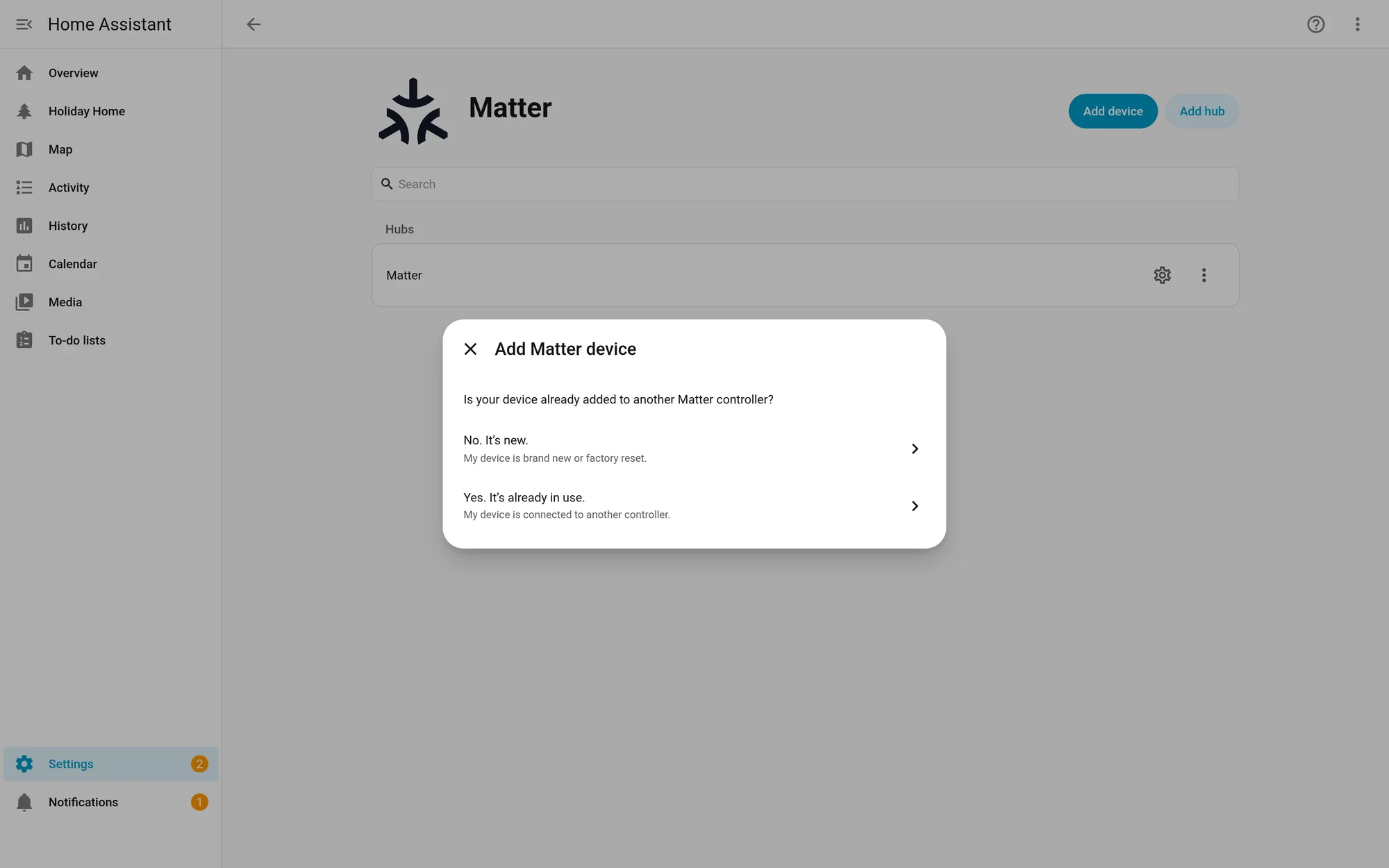
When a Matter-over-Thread device won’t pair with Home Assistant, the device is rarely the first thing to blame. Usually one of three things is wrong: your phone doesn’t have the right Thread network credentials, Home Assistant’s Matter Server doesn’t have them, or your network is blocking the IPv6 and multicast traffic that Matter depends on. Work through the checklist below in order. Most setups are fixed by the first five steps.
This is a research guide. We pulled the fixes from Home Assistant’s official docs, the app changelogs, GitHub issues and forum threads, and we link each one. We haven’t reproduced these on our own hardware. Where a fix comes from a bug report or forum thread rather than official documentation, we say so.
How pairing actually works
Knowing the steps makes the error messages make sense. When you add a Matter device with the Home Assistant Companion app:
- Your phone finds the device over Bluetooth. Bluetooth is only used for setup, never for control.
- The phone hands the device the Thread network credentials, which work like a Wi-Fi password for your Thread mesh.
- The device joins the Thread network through a border router. That’s a device such as a HomePod mini, a Nest Hub (2nd gen) or Home Assistant’s own OpenThread Border Router app with a Connect ZBT-2.
- Home Assistant’s Matter Server finds the device on your network over IPv6 and finishes commissioning.
A failure at any step looks like a hang. The message on screen tells you roughly where it stopped.
| What you see | Where it’s failing | Start with |
|---|---|---|
| Stuck at “Checking network connectivity” (Android) | Step 2 or 4: phone and Thread network don’t match, or traffic isn’t getting through | Fixes 2, 3, 4 and 5 |
| “This device requires a border router” or “Thread border router needed” | Step 3: no border router whose credentials the phone or Matter Server knows | Fixes 2, 3 and 6 |
| Pairs, then goes unavailable | Step 4 and after: network or border-router trouble | Fixes 5 and 8 |
| “Target node did not process the update file” | Any Apple border router on the Thread network | See “Apple border routers and updates” |
The fix-it checklist, in order
1. Update everything first
Old versions cause a lot of these reports. Check:
- Home Assistant. The current release is 2026.10.2.
- Matter Server app. Version 9.0.0 switched to a new server built on matter.js and needs roughly twice the RAM of the old one. Version 9.2.0 is the latest in the app’s changelog as of October 21, 2026.
- OpenThread Border Router app, if you use your own radio. Version 3.0.0 made Thread 1.4 the stable default.
- The Companion app, plus Google Play services on Android.
Home Assistant’s docs ask for Android 8.1 or newer (12 or newer recommended) on a standard Google-account setup, and iOS or iPadOS 16.4 or newer. The Mac app can’t add Matter devices.
2. Confirm you have a border router, and which network is preferred
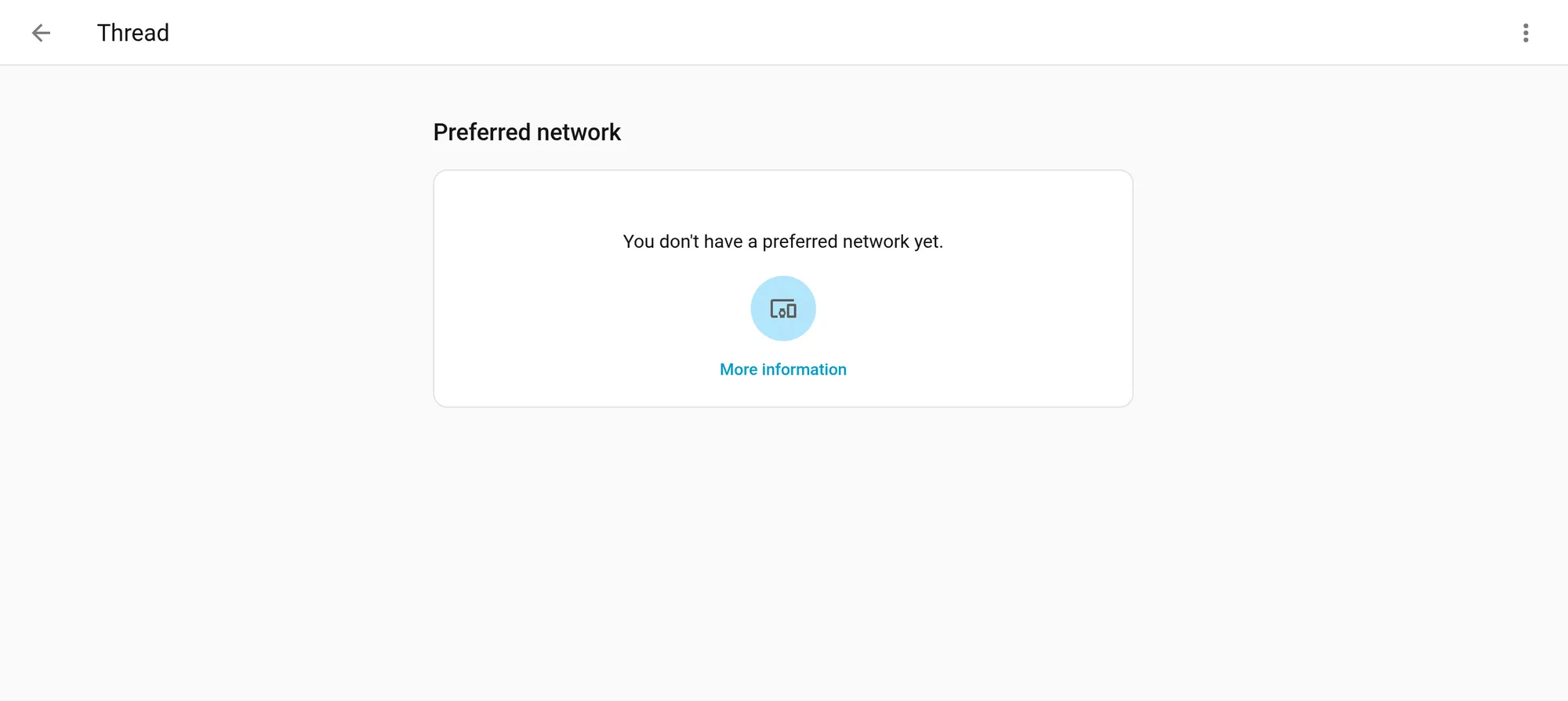
Go to Settings > Connectivity > Thread. (If Thread isn’t listed there, add the Thread integration under Settings > Devices & services.) You’ll see every Thread network Home Assistant has found, grouped by network. A network is only usable for pairing if Home Assistant has its credentials, and the docs mark that with an icon.
Many homes end up with two or three separate Thread networks: one from Home Assistant, one from Apple, one from Google. Home Assistant’s docs are clear that these are separate networks with different credentials, and devices can’t move between them. Pick one as your preferred network. If a third-party network is listed without credentials, open Settings > Connectivity > Thread in the Companion app on your phone and select Send credentials to Home Assistant to import it. Android sends your phone’s preferred Thread network; iOS sends that plus any other Thread networks the app can access.
Choosing hardware? Our Thread border router research guide compares the options.
3. Sync the credentials to your phone
This is the step people skip most. Your phone has to know the same Thread network Home Assistant is using.
- Android: in the Companion app, go to Settings > Companion app > Troubleshooting and select Sync Thread credentials.
- iPhone: in the Companion app, go to Settings > Connectivity > Thread and select Send credentials to phone at the bottom of the preferred network box.
Home Assistant’s docs also note that when you pair through the Companion apps, the phone’s own preferred Thread network is used. That’s why a phone holding an old network can send a device to the wrong place.
4. Android: permissions, distance and stale credentials
- Set the Companion app’s Location permission to Allow all the time. Home Assistant’s docs explain why: Google’s Matter screen runs in front, the Companion app runs in the background, and Android hides the Wi-Fi network name from background apps that only have “while using” permission.
- Stand close to both the border router and the device while pairing.
- Make sure Use Thread is on under Settings > Connected devices > Connection preferences > Thread (Google’s path; it can vary by phone maker).
A project contributor commenting on GitHub issue #170091 said Google may keep old or invalid Thread credentials that Home Assistant can’t overwrite, and suggested reinstalling Google Home and clearing its stored data. The person who opened the issue replied that reinstalling Google Home didn’t help, and that clearing Google Play services storage works but wipes much more than Thread data. Treat that as a last resort.
5. Fix the network: IPv6, multicast and VLANs
Matter needs local IPv6 and mDNS (multicast) traffic to move freely. Home Assistant’s docs say Matter “may not integrate well” with VLANs, multicast filtering or malfunctioning IGMP snooping, and they suggest keeping your network as flat as possible.
- In Home Assistant, set IPv6 to Automatic under Settings > System > Network. You don’t need IPv6 from your internet provider.
- Keep Home Assistant, your border routers and your phone on the same VLAN.
- Turn off “multicast optimization” settings on your router or access points while you pair.
- IKEA’s own community-sourced troubleshooting page recommends turning off IGMP snooping and IGMP proxy, disabling IPTV/VLAN features and using the 2.4 GHz Wi-Fi band while you pair.
- If the OpenThread Border Router app logs say IPv6 forwarding isn’t enabled, Home Assistant’s Thread docs list the layers to check: host, router, hypervisor and Docker. On Home Assistant OS, Docker IPv6 has no UI setting and must be changed from the command line. The steps from Home Assistant’s Thread docs, run from the Terminal & SSH app:
- Check the current setting:
ha docker info- If
enable_ipv6showsnullorfalse, enable it:
ha docker options --enable-ipv6=true- Reboot the Home Assistant host. The change doesn’t take effect until you do:
ha host rebootOne forum user in GitHub issue #166782 traced endless “Checking connectivity” on Android to a router that sent the border router’s IPv6 route announcements to wired devices but not Wi-Fi ones. Turning the phone’s Wi-Fi off and on right before pairing made the phone pick up the route. It’s a community workaround, not an official fix.
6. Check that the Matter Server actually has the Thread credentials
GitHub issue #166782, open since March 2026, collects reports from people whose Thread integration showed a healthy, preferred network while the Matter Server had no Thread credentials. Several users reported that the credentials disappeared after the Matter Server app restarted. Pairing then failed with a missing-credentials error, which the app may show as “Thread border router needed.”
The workaround reported most often in that thread:
- Open the Matter Server dashboard. Commenters reached it at port 5580 on the Home Assistant host.
- Open Settings (cog icon). Under Network credentials, check whether Thread says Not configured.
- If it does, paste the active dataset TLV from the Thread integration’s border router info panel into the Thread dataset field and save it.
- Try pairing again. Check this screen again after any restart or reinstall of the Matter Server app.
We checked those dashboard labels on a standalone Matter Server 1.5.2. The Matter Server app 9.2.0 bundles server 1.4.0, per its changelog, so labels there may differ slightly. The lost-credentials problem itself is reported behavior from the issue, not something we reproduced.
7. Let Home Assistant do the Bluetooth step
If the Companion app keeps hanging but your border router is fine, you can skip the phone for the Bluetooth part of commissioning. The Matter Server app’s ble_proxy option, per the app’s docs, lets the Home Assistant Matter integration drive Bluetooth commissioning through Home Assistant’s own Bluetooth stack, which can include ESPHome Bluetooth proxies (see Home Assistant’s Bluetooth docs). The app’s 9.0.0 changelog describes it as experimental support “for commissioning via BLE proxies from the Matter Server dashboard”. In the dashboard, that’s the Commission node dialog, where you enter the device’s setup code. It works in app 9.0.0 and later, or in 8.5.0 with the Beta (JavaScript) Matter Server, and it needs Home Assistant 2026.6 or later. It can’t be combined with bluetooth_adapter_id, the older option that points the server at a local adapter, which the app’s docs mark as deprecated.
The device has to be within Bluetooth range of the Home Assistant host or one of its Bluetooth proxies.
8. Too many border routers, or too many networks
More border routers on the same network should help. Border routers that form their own separate networks don’t. In an October 2026 forum thread, one user with two redundant border routers (one USB, one Ethernet) reported that pairing worked again once they took the Ethernet one off the network. That’s one report, but it’s a quick test: power down extra border routers, pair, then bring them back.
GitHub issue #166782 also includes a report of the OpenThread Border Router app forming a brand-new ha-thread-xxxx network after its radio reset, leaving several orphaned networks in the Thread panel. If your list keeps growing, the radio or its USB connection deserves a look before anything else.
9. Reset the device properly
Factory-reset the device before every attempt, following the maker’s instructions. For IKEA’s BILRESA remote, IKEA’s troubleshooting page says to keep resetting until the LED cycles red, then yellow.
When it’s the device’s fault
Sometimes it really is the device. IKEA’s first Matter-over-Thread products are the clearest recent example. In February, The Verge’s smart home reviewer reported getting only two of six IKEA devices connected: a KAJPLATS bulb to Apple Home after seven attempts, and an ALPSTUGA air-quality monitor to Home Assistant. Some devices wouldn’t connect to anything, including IKEA’s own DIRIGERA hub. The Verge also cited a Reddit user who paired 31 of 60 BILRESA buttons. IKEA told The Verge it was aware that “some customers are experiencing connection issues when setting up their devices in certain home environments” and was working with platform makers and the Connectivity Standards Alliance.
Reports have continued since. In an October 17, 2026 forum thread, a user paired four IKEA devices from the Matter Server dashboard but couldn’t get two GRILLPLATS plugs to connect over Bluetooth at all.
Suspect the device when:
- It fails the same way on two or more platforms, or on the maker’s own hub.
- Other Matter-over-Thread devices pair fine on the same network.
- It joins and then keeps dropping off while your other Thread devices stay up.
Then check for a firmware update through the maker’s app, contact the maker’s support, and keep your return window in mind.
IKEA notes: general fixes, BILRESA and GRILLPLATS
These notes come from IKEA’s documentation, GitHub issues and forum threads. Items from secondary sources are labeled as reported.
General IKEA fixes. On top of the checklist above, IKEA’s troubleshooting page suggests turning off IGMP snooping or proxy and any IPTV or VLAN settings on your router, pairing on 2.4 GHz, fully resetting the device before each attempt, and rebooting the router, then the hub, then the phone. If pairing sticks at “enable thread network”, it suggests putting the phone in airplane mode with only Wi-Fi turned on. One forum user’s approach for a mixed IKEA setup: use a dedicated Home Assistant border router as the preferred network, add plugs first, then bulbs, then battery devices, and share devices to other platforms from Home Assistant afterward (HA forum). If you use a DIRIGERA hub, IKEA’s 2.934.0 firmware reportedly improved Matter onboarding (Matter Alpha).
BILRESA (remote).
- Not showing up for pairing. A forum reply says the remote is in pairing mode by default and resets with a very long hold on the pairing button (HA forum).
- Already paired to DIRIGERA. The printed Matter code only works for one platform. Generate a new pairing code in the IKEA app, then add it in Home Assistant as a device that’s already in use (HA forum).
- Scroll wheel. Home Assistant shows the scroll wheel as button presses, caps them at 8 and drops the rest, so there’s no smooth scrolling. The issue is open (#159035), and a possible fix is in a draft pull request that hasn’t been merged (#177101). The workaround discussed in the issue is to trigger automations from the “current switch position” diagnostic sensors, which loses multi-press and long-press.
- Dual button. It reports at most a double press. That’s a device limit, not a Home Assistant bug (#159452).
- Firmware 1.9.15 (May 2026) moved BILRESA to Matter 1.4. IKEA published no release notes, and the stability improvement is reported, not confirmed (AppleHome Authority).
GRILLPLATS (indoor plug).
- Pairing window. A German blog that set one up with Home Assistant reports that the plug stays in pairing mode for about 15 minutes after power-up, the button restarts that window, and a 10-second hold resets it (chrissmart.de).
- Bluetooth-proxy pairing times out. An open issue reproduces this with GRILLPLATS and TOFSMYGGA. In that report, the same plugs paired through the Android Matter flow into the Home Assistant app (#179922).
- Pairing fails after it joins Thread. An unresolved forum thread points to IPv6 forwarding on Home Assistant OS (HA forum). Work through step 5 above first.
- Grid frequency reads 0.05 or 0.06 Hz. The plug’s firmware reports hertz where Matter expects millihertz. Home Assistant closed its issue on October 21, 2026 as a firmware bug for IKEA to fix (#187717). Until then, change the sensor’s display unit or disable it. A forum user reports the bug is still there on firmware 1.4.12 (HA forum).
- Energy sensors under “Diagnostic”. Fixed in Home Assistant by a pull request merged April 28, 2026, though current and voltage reportedly stay under Diagnostic (#168874, PR #169208).
Apple border routers and updates
Home Assistant’s Matter docs put it this way: “Home Assistant Matter updates currently don’t work for Thread devices on a Thread network with (any) Apple border routers.” You’ll typically see a “Target node did not process the update file” error, because Apple border routers don’t forward the mDNS packets Home Assistant needs to find the update provider.
What to do depends on your setup, per the same docs:
- Apple border routers only: you can’t update the device from Home Assistant. To get updates, add another border router, for example by turning Home Assistant into one with the OpenThread Border Router app.
- A mix of Apple and other border routers: power down all the Apple Thread border routers, wait at least 30 minutes, then try the update again from Home Assistant.
The Apple Home app might offer the update from its side instead. Home Assistant’s docs give Eve devices as an example.
What’s coming in the Matter Server
The upstream Matter Server project released version 1.5.0 on October 20, 2026, followed by 1.5.1 and 1.5.2 on October 21. Per its changelog, 1.5.0 adds Matter 1.6.1 support, support for IKEA’s thermostat valve-calibration cluster, and the Aqara FP400 sensor’s vendor clusters. The Home Assistant app’s latest changelog entry (9.2.0) still ships server 1.4.0, so these changes reach most users only after an app update. The app’s Beta option tracks pre-releases if you want them sooner.
Still stuck?
Collect the Matter Server and OpenThread Border Router app logs, note your versions, and search the two GitHub issues linked below before opening a new one. Your report may already be there with a workaround.
Sources
- Home Assistant docs: Matter integration (prerequisites and troubleshooting)
- Home Assistant docs: Thread integration (border routers, credentials, IPv6)
- Home Assistant Matter Server app changelog
- Home Assistant OpenThread Border Router app changelog
- OHF Matter Server (matter.js) changelog
- GitHub issue #170091: Companion app commissioning hangs at 'Checking network connectivity'
- GitHub issue #166782: Thread dataset not persisted in Matter Server
- Home Assistant forum: IKEA Matter-over-Thread devices won't commission (Oct 17, 2026)
- The Verge: IKEA's new Matter devices are having connection problems (Feb 4, 2026)
- IKEA: Community-sourced troubleshooting tips for connectivity and pairing issues
- Google: Connect Thread smart home devices with your Android device
- Home Assistant docs: Bluetooth (remote adapters and ESPHome Bluetooth proxies)
- Home Assistant Matter Server app documentation
- GitHub issue #159035: IKEA BILRESA scroll wheel multipress
- GitHub issue #159452: Matter button presses beyond max_presses_supported
- GitHub issue #179922: Matter BLE proxy commissioning times out with IKEA devices
- GitHub issue #187717: IKEA GRILLPLATS frequency sensor reports Hz
- GitHub issue #168874: IKEA GRILLPLATS sensors under Diagnostic
- AppleHome Authority: IKEA BILRESA update to Matter 1.4 (May 2026)
- chrissmart.de: IKEA GRILLPLATS in Home Assistant
- Matter Alpha: IKEA DIRIGERA firmware targets Matter onboarding (Mar 2026)